Menu

Show posts

This section allows you to view all posts made by this member. Note that you can only see posts made in areas you currently have access to.

Show posts Menu

Messages - OXIDO

#1
Support / Re: SPLINE is too long> error in kuka
March 11, 2026, 06:07:50 PM
Hi Johannes,
It works.
Can I know the reason behind this?

I need a bunch of programs to run automatically at night. This is not possible with this problem.
#2
Support / Re: SPLINE is too long> error in kuka
March 11, 2026, 04:11:08 PM
Hello,
It's a super crazy issue I am facing right now. We are working with splines; each spline has 500 points. The KUKA processes 3 layers and then shows an error of Spline too long. After a cold start, the KUKA processes only 2 layers and shows the same error.

A few months back, we ran the same program 36 times without any errors. Has anyone faced this problem before, or knows a solution for this??

Thanks,
Ojas
#3
General Discussion / Re: Tool path optimizer for KUKA|prc
February 13, 2026, 12:07:15 PM
Does anyone have access to this? I already have RHINO 7, but it does not start in Grasshopper.
#4
Support / Re: SPLINE is too long> error in kuka
January 21, 2026, 02:00:14 PM
Is there a way for KUKA to read a spline with 5,000 points? I want to avoid cutting them.
Can I get a new RAM, for example?
#5
Support / SPLINE is too long> error in kuka
January 21, 2026, 10:01:27 AM
Hello,
I have a spline with over 3000 points, and the KUKA shows me an error "SPLINE is too long". I think this is more of a RAM problem. Has anyone faced a similar problem or have a solution for this?

I have already tested to break the spline into 1500 points each; the program works, but there is also a small pause between the two splines.

Best,
Ojas
#6
Support / Programing for multible tables
January 15, 2026, 12:54:56 PM
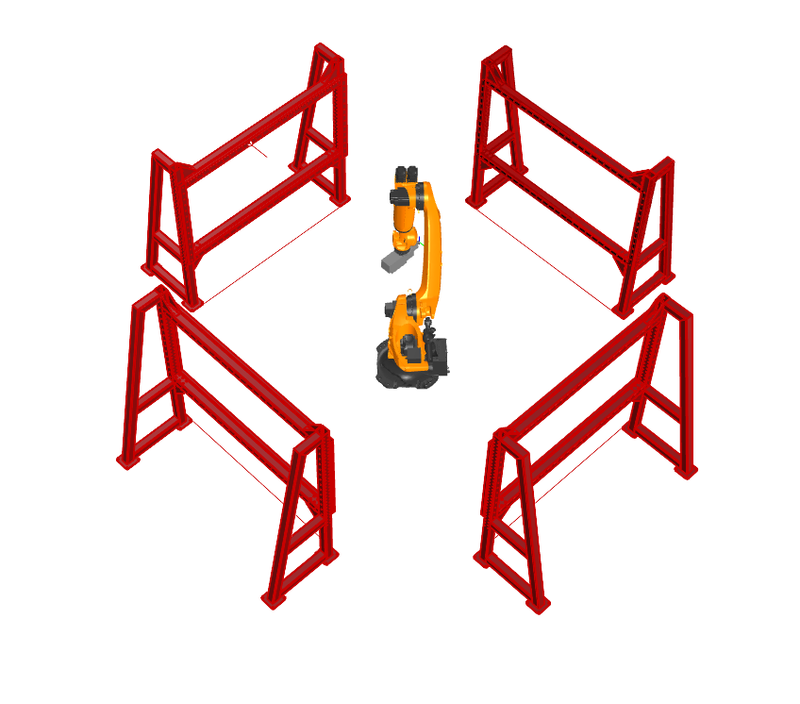
We have a setup like this. In reality, the KUKA is at 0, 0, 0, and we have four tables around it.

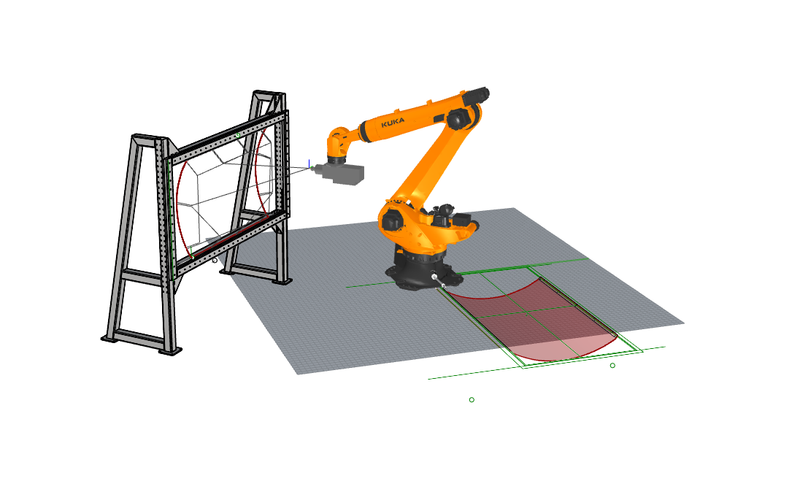
Now I use a base which is at 0,0,0 and reorient my toolpath to the table frame using the transform command. The problem is that when I export the program, the Z-axis is not 0. I want to program the process so that I can put any table during production which is available. For now, I can only use the table I programmed, something like this.


I want the code at 0,0,0 and decide later which table I want the progrm to work on.
#7
Support / Setting axis preferences
December 05, 2025, 03:50:21 PM
Hello,
We are working on an additive manufacturing process and have an infinite A6. In this configuration, I want to avoid the massive rotation of A4 and prioritise A6. Is that possible?
Also, in the Quantec-2 KR210 R3100 Robot, there is an interface bug which does not show whether the INFINITE AXIS is activated or not.
#8
Support / KRL Import - KUKA|prc Problem
November 13, 2025, 11:54:10 AM
Hello,
We have a program that uses $welding commands to control the robot's speed. But in my preview file, when I import the program, I get this error. I don't want to add a step to copy the program and remove this; it adds the factors in errors. Can we have this component fixed? 

error- 1. Solution exception: The input string '$welding' was not in a correct format.

#9
Support / Re: View Code line while running the program.
November 13, 2025, 11:24:50 AM
I can try this. I had unchecked this in the core settings.

Alternatively, and I know this can be complex, but can I connect KUKA with a Grasshopper file where KUKA, while printing, sends out the slider value (0.000 to 1.000) for the Simulation slider? This can also solve a lot of my other problems at this point.
#10
Support / View Code line while running the program.
November 12, 2025, 06:54:01 PM
Hello,
We are operating a KUKA performing additive manufacturing. The programs are super large because of this; some programs exceed 148K lines. Running this program is a problem because if the robot stops in the middle, or we pause the program for some reason. Apparently, the line displayed by the display does not match the robot's actual position. We have to get the real position of the robot from outside and then find the closest XYZ point in the program and cut the program.

Does someone have a solution for this?
Regards,
OXIDO
#11
Support / Collision check with toolpath
November 04, 2025, 10:25:56 AM
Hello,
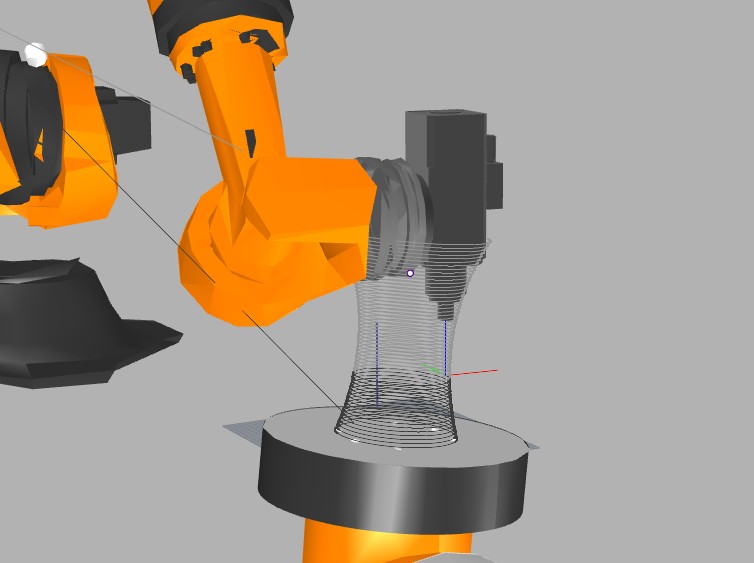
Is there a way to detect collisions with the toolpath itself? I ran the check for this piece, but had to stop because I found the collision visually.


This is also impossible to check with a big program because I cannot see where the program is, since all the toolpaths are rendered in black. With the small program, I can see that the light grey layers are yet to be printed.


let me know if you have any solutions...
#12
Support / keeping the tool oriantation constant
July 10, 2025, 12:51:57 PM
Hello,
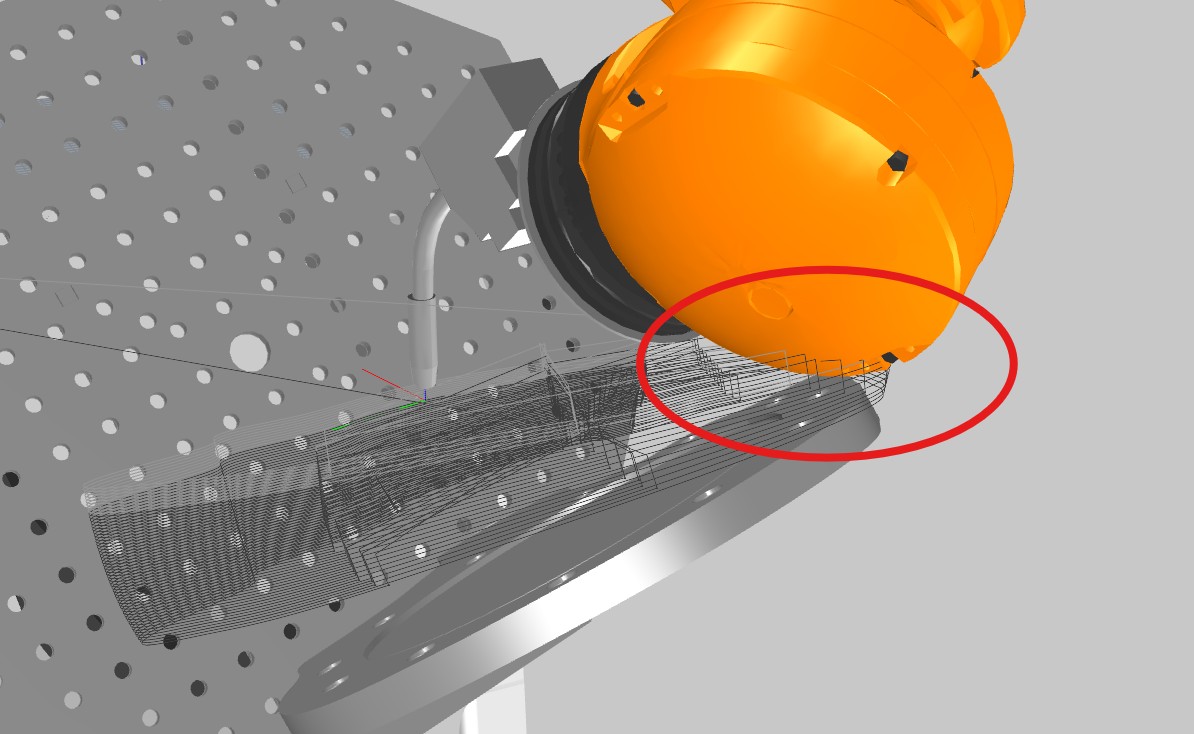
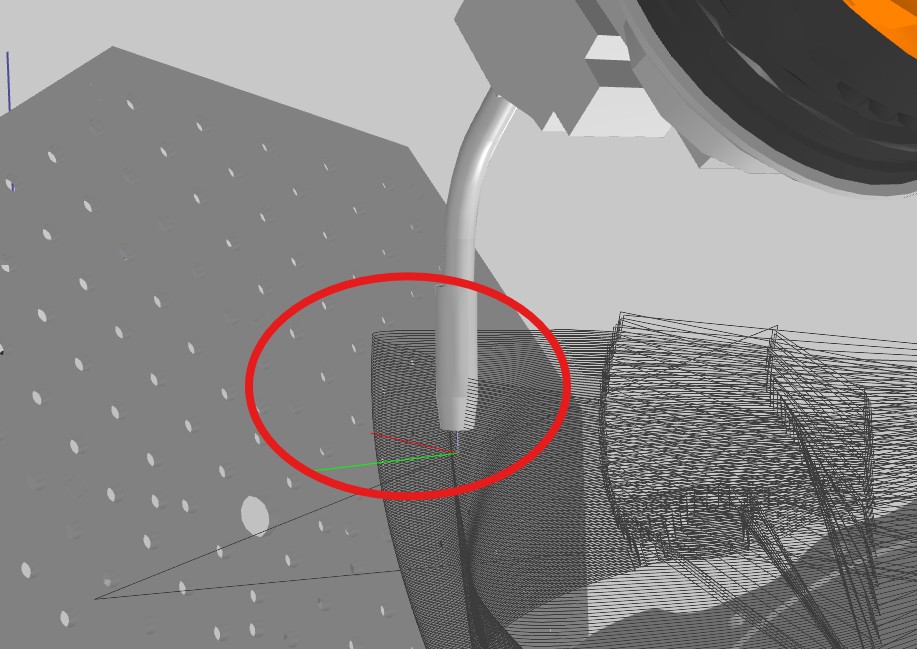
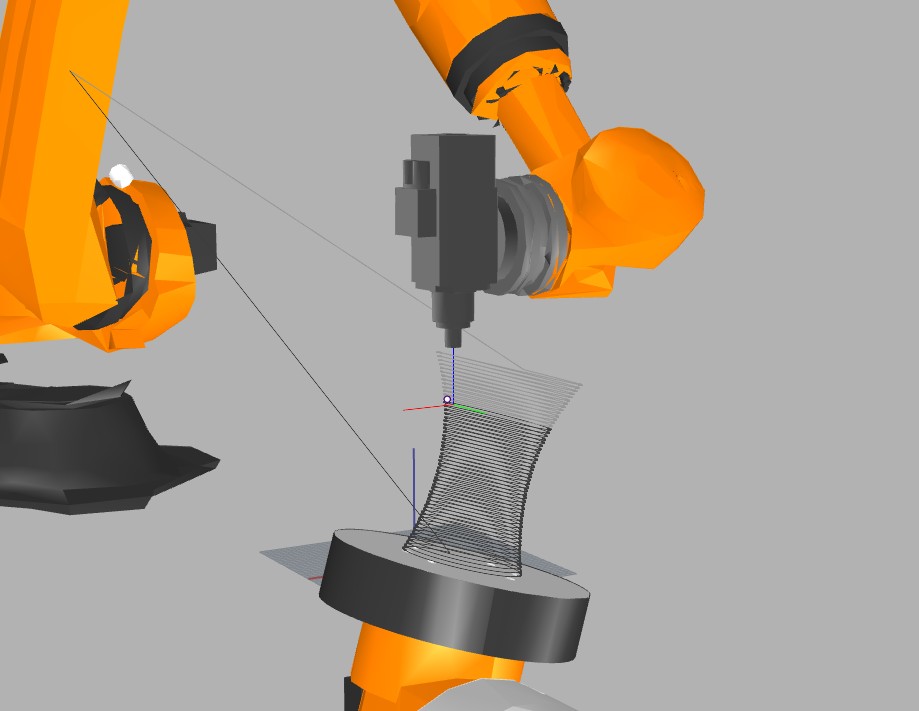
I'm having trouble keeping the tool in one position. The tool starts working on +x and then, between 0.4 and 0.5 (Simulator Slider), it rotates and orients to -x. This movement is causing visual defects in the piece. Does anyone have a solution for this?

0 to 0.4


0.5 to 1


Regards,
Ojas
#13
Support / Re: Collsion check on RAM.
May 20, 2025, 08:56:55 AM
YES!!
#14
Support / Collsion check on RAM.
May 19, 2025, 06:35:39 PM
Hello everyone,
My workstation has been running a collision check on the RAM using Rhino 8, which crashes Rhino after some time. On my other system with Rhino 6, it uses the CPU and is much faster. How can I fix this?
#15
Hello Johannas,
This version of the program is close to what I need. Can you check the GH file and see if you can improve it?

Regards,
Ojas